
You can support our work by buying us a coffee ☕ via USDT: DONATE NOW →
Digital Rise SEO Solutions WP Plugin
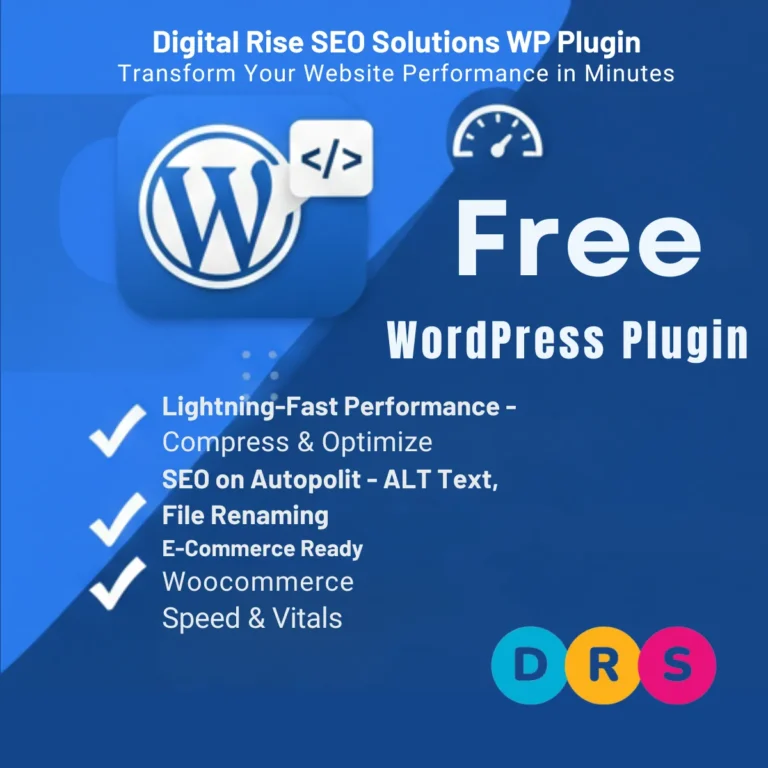
Digital Rise SEO Solutions WP Plugin is the ultimate all-in-one solution for WordPress image optimization, SEO automation, and brand protection. Whether you’re running a blog, an online store with WooCommerce, or a multi-vendor marketplace with Dokan – our plugin handles everything automatically.
Stop losing visitors to slow loading times. Stop missing SEO opportunities. Start optimizing today!
Automatically compress images to your target file size (default 50KB) without losing quality. Faster websites mean better user experience and higher Google rankings.
Never worry about image SEO again. Our plugin automatically generates optimized ALT text, renames files with SEO-friendly names, and creates meta descriptions using your custom keywords.
Full integration with WooCommerce and Dokan marketplace. Optimize product images, set vendor limits, and boost your store’s performance.
Beyond images! Minify your CSS and JavaScript files to further improve page speed and Core Web Vitals scores.
Perfect for bloggers and small websites
Price: FREE Forever
Ideal for businesses and online stores
Everything in Free, plus:
Price: Contact us for pricing
For developers and agencies
Everything in Pro, plus:
Price: Contact us for pricing
Download the digital-rise-image-optimizer-pro.zip file from our website.
Option A: Via WordPress Dashboard (Recommended)
Option B: Manual Installation via FTP
/wp-content/plugins/digital-rise-image-optimizer-pro folderAfter activation, you’ll be redirected to the plugin dashboard. Here’s what to do next:
💡 Pro Tip: For product images, we recommend 1200px width and 60KB target size for the best balance of quality and speed.
best products onlinequality guaranteedfree shippingtop rated sellerpremium quality{site_name} – Your website name{content_title} – Page/post title{keyword} – Random keyword from your listExample Pattern: {keyword} - {content_title} | {site_name}
Result: “Premium Quality – Blue Running Shoes | My Store”
Default Title Pattern:
{title} | {site_name}
Default Meta Description:
{excerpt}
Available Variables:
| Variable | Description |
|---|---|
{title} |
Page/Post/Product title |
{site_name} |
Your website name |
{site_tagline} |
Your website tagline |
{excerpt} |
Content excerpt (first 160 chars) |
{category} |
Primary category name |
{tags} |
Tags (comma separated) |
{author} |
Author display name |
{date} |
Publication date |
{year} |
Current year |
{month} |
Current month name |
{keyword} |
Random keyword from your list |
{product_price} |
Product price (WooCommerce) |
{product_sku} |
Product SKU (WooCommerce) |
{parent_title} |
Parent page/category title |
{count} |
Number of items (for archives) |
Example Patterns for E-Commerce:
Buy {title} - {product_price} | {site_name}Shop {title} at best price. {excerpt} Free shipping available!{title} - Browse {count} Products | {site_name}⚠️ Important: For large libraries (1000+ images), run bulk optimization during low-traffic hours. The process is server-intensive.
jquery-coreelementor-frontend💡 Pro Tip: Test your site after enabling minification. If something breaks, add the problematic script/style handle to exclusions.
The plugin automatically integrates with WooCommerce. Additional settings:
Product images will now be:
For multi-vendor stores using Dokan:
Each vendor will have:
Where to find your license key:
| Requirement | Minimum | Recommended |
|---|---|---|
| WordPress | 5.8+ | 6.0+ |
| PHP | 7.4+ | 8.0+ |
| MySQL | 5.6+ | 8.0+ |
| Memory Limit | 128MB | 256MB+ |
| Max Execution Time | 120s | 300s+ |
| GD Library | Required | Required |
| WooCommerce | 5.0+ | 8.0+ |
Q: Will this slow down my website? A: No! The plugin optimizes images to make your site FASTER. Compression happens during upload, not when visitors view your site.
Q: Can I use this with page builders like Elementor? A: Yes! The plugin works with all page builders including Elementor, Divi, Beaver Builder, and more.
Q: What happens to my original images? A: Images are optimized in place. We recommend keeping backups before bulk optimization.
Q: Can I disable automatic optimization? A: Yes! Enable “Confirm Before Optimizing” in Settings to process images only via Bulk Optimize.
Q: Is my data safe during plugin updates? A: Absolutely! All your settings, logs, and optimized images are stored separately from plugin files.
Q: Does this work with CDN? A: Yes! The plugin is compatible with all major CDNs including Cloudflare, BunnyCDN, and KeyCDN.
Need help? We’re here for you!
Love our plugin? Here’s how you can help:
We accept USDT (TRC20) and other cryptocurrencies via RedotPay.
We’re constantly working to improve Digital Rise SEO Solutions WP Plugin. Here’s what’s coming:
Subscribe to our newsletter to be the first to know about new features and updates!
Ready to optimize your WordPress website?
DIGITAL RISE SOLUTIONS IMAGE OPTIMIZER – Making WordPress Faster, One Image at a Time.
Version: 1.0.0 | Last Updated: January 2026 | Developer: Digital Rise Solutions
© 2026 Digital Rise Solutions. All rights reserved.